A voice translator has to hear the conversation, so privacy is the first question to answer, not the last. The answer is mostly a settings question, and this guide covers it in one pass: what Felo Translator's Local Save actually is, the switch to decide on per conversation, the four-setting check worth running before a conversation with real weight, and where the remaining questions live.
How to set up Local Save
- Find the Local Save setting in the app's settings. It is Felo Translator's documented storage feature — the product page's own words: "securely save files and data on your device for convenient access anytime, anywhere."
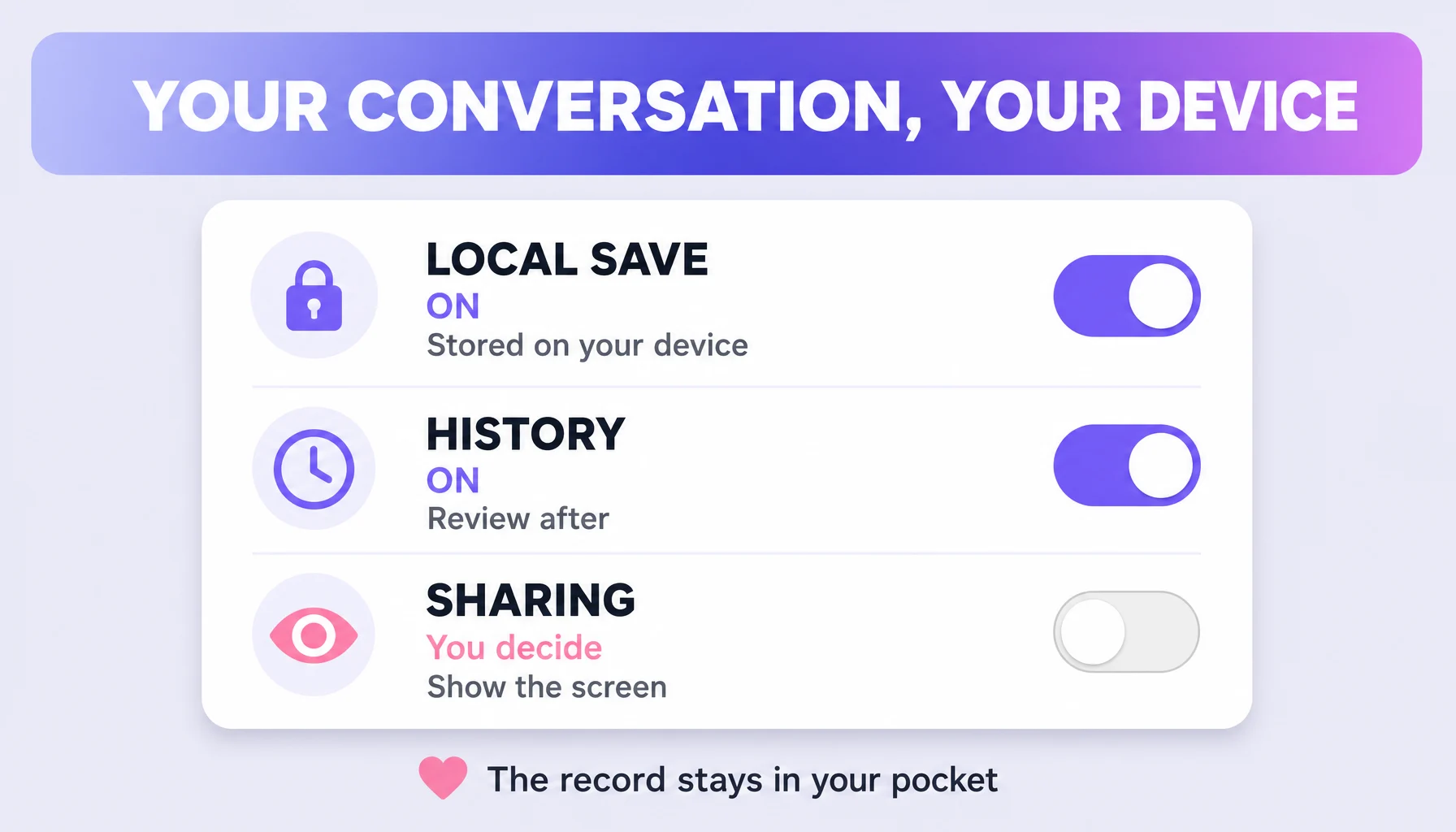
- Turn Local Save on for the conversation you want to revisit. What it does: the conversation record is stored on your device, so a price, a time, or the wording of an agreement is checkable again later on your phone. That later review is the point of the feature, not a side effect.
- Turn it off when the conversation is routine. What it does: Local Save off means you keep no record at all. The decision is per conversation — off is a fine default for small talk, on for the call you will want to quote an hour later.
- Know exactly where the record lives. It lives on your device. That is the designed difference: the conversation stays on your phone instead of being a public account thread on a translator website. It is storage, not a cloud account log.
- Set the phone lock before the conversation, not after. Local Save protects what it stores at the app level; the device passcode and screen lock are the first layer either way.
The four-setting check before a sensitive conversation
For an exchange with real weight — a medical description, a price you negotiated, a family call about a flight — run these four before the first sentence:
- What is saved. Local Save on for what you will want to revisit; off when you would rather keep no record at all. Decide deliberately instead of leaving the default on.
- What is on the other phone. Handing the phone over with the translation on screen is fine — the conversation record stays on your device, and the other person sees only what is on screen.
- Phone-level locks. The app handles the app level; your half is the device passcode and screen lock, so confirm they are set before the call.
- The policy above this level. The product page and its privacy policy are two documents: storage is described in one, the connection-side details are in the other. Read both.
Tips that make it smoother
- Decide per conversation, not per habit. The medical description, the negotiated price, the family flight call — on. Small talk — off.
- Let the saved record do the memory work. "Convenient access anytime, anywhere" means the detail is re-checkable on your device later instead of reconstructed from memory.
- Show the screen, keep the record. Letting the other person read or hear the translation on screen is a display choice, not a handover of the saved conversation.
- Don't save out of habit. If the conversation has no use later, off is the honest setting — every record you keep is also a record you protect.
Watch out for
- Local Save is not offline translation. It is on-device storage of the record; the translation itself is a real-time AI feature, which is why the connection side still matters — the record is not the engine.
- On-device storage is not end-to-end encryption. They are separate claims: one says where the record lives, the other is a separate technical claim. Do not conflate them.
- Off leaves nothing for you either. No record is kept, so the detail you would have re-checked is gone — set the switch with that cost in mind.
- Identifiers stay out of the app. Don't translate documents or identifiers you would not type into any app. Use the conversation for meaning, and write the passport number by hand.
FAQ
Does Felo Translator store conversations on a server? The documented storage feature is Local Save — the conversation record is on your device. What happens on the connection side while the translation runs is a privacy-policy question, and the privacy policy is what answers it, not general assumptions about speech apps.
Can the person I am talking to see the conversation? Only what you show them. The record is on your device, and the screen in front of them shows the translation when you want a shared look — a display choice, not a handover.
Is on-device storage the same as end-to-end encryption? No. On-device storage means the record lives on your device; end-to-end encryption is a separate technical claim. Keep the two apart.
Should I use voice translation for sensitive info like a passport number? No. Don't translate documents or identifiers you would not type into any app — use the translated conversation for meaning, and write the passport number by hand.
By the Felo Editorial Team. The Felo Editorial Team writes about language, voice translation, and the details of talking across borders.