You are buying translation for one specific problem: a course you have to follow for fifteen weeks, in a language you are still learning. Framed that way, the question is not which device translates best. It is which one is still with you in week twelve — charged, allowed in the room, and holding the last three months of your lectures.
By that test: if the problem is a live lecture or a conversation, use the app on the phone you already carry; buy a translator device only if you need hardware that works without your phone; buy a dictionary pen only if your main task is scanning printed text. The three do different jobs, and only one of them accumulates anything you can revise from.
What each one is actually for
What you are checking | Translation app | Translator device | Dictionary pen |
|---|---|---|---|
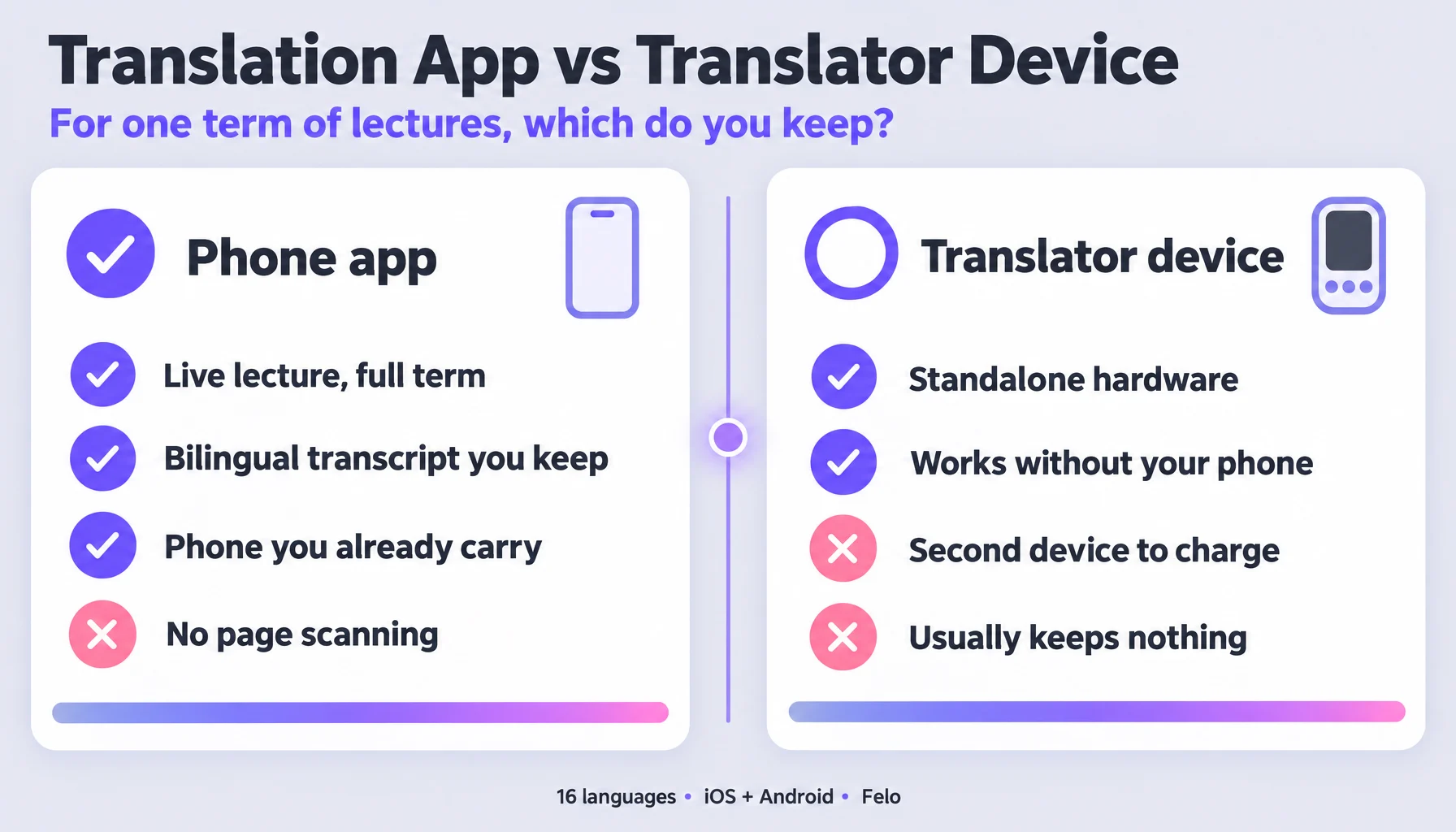
A live lecture, for a full term | Built for it — runs continuously, both languages on screen | Built for it, as standalone hardware | Not what it is for |
Face-to-face conversation | Two-way, one phone between two people | Two-way on the device | Weak — you would pass the pen back and forth |
Scanning printed text | Not supported — no camera or OCR translation | On some models; check the manufacturer's page | This is the whole product |
What you keep afterwards | A saved bilingual transcript you can revise from | Usually nothing persistent | A word list |
Cost structure | One-time pack, then subscription | One-time purchase | One-time purchase |
What you must carry | The phone already in your pocket | A second device, charged separately | A second device |
Read the last two rows together, because that is where the decision actually lives. A device is a one-time cost and never asks you to subscribe; an app asks you to keep paying and depends on the phone you were carrying anyway. Neither is automatically cheaper — it depends on how many terms you will use it for and whether you would carry a second device at all.
Check these three things before you buy
- What does the course actually require you to do? Listening to a lecture for an hour at a time, talking with classmates, and scanning a textbook are three different capabilities. Write down which one happens most in your week; that is the one to buy for, and the other two can be a compromise.
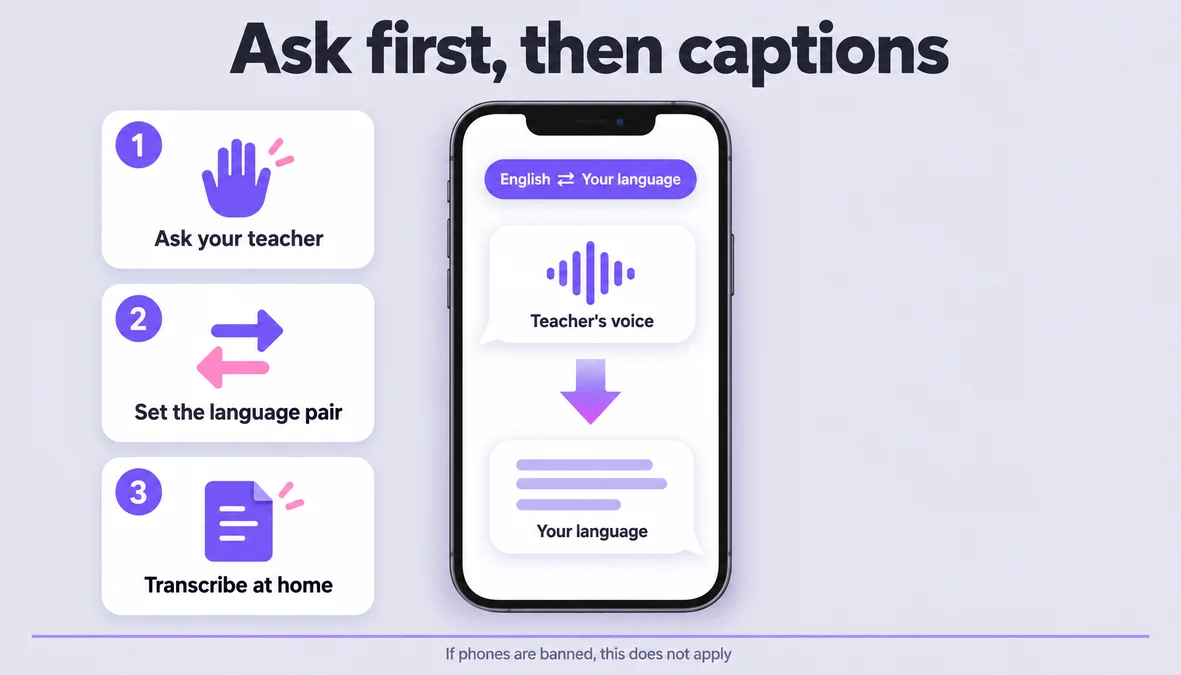
- Is a phone allowed in the room, and what does your school say about recording? This decides more than any spec. A device you cannot bring to class is worth nothing, and some programmes distribute recordings themselves. Ask before you spend, not after.
- What do you want to still have in December? A device that translates beautifully in the moment but keeps nothing means you re-listen in the moment and have nothing to revise from. If your exams are at the end of the term, "what I keep" is a feature, not a footnote.
Running a phone-based setup for a full term (6 steps)
If the answer is the app, this is how to make it hold up over fifteen weeks rather than one impressive afternoon.
- Test it on your actual subject before the term starts, in the seat you will actually sit in. Read a paragraph from your reading list aloud and check that the terms come back as terms. Every category here performs well on a clear recording of a news anchor; none of them get that input in a lecture hall.
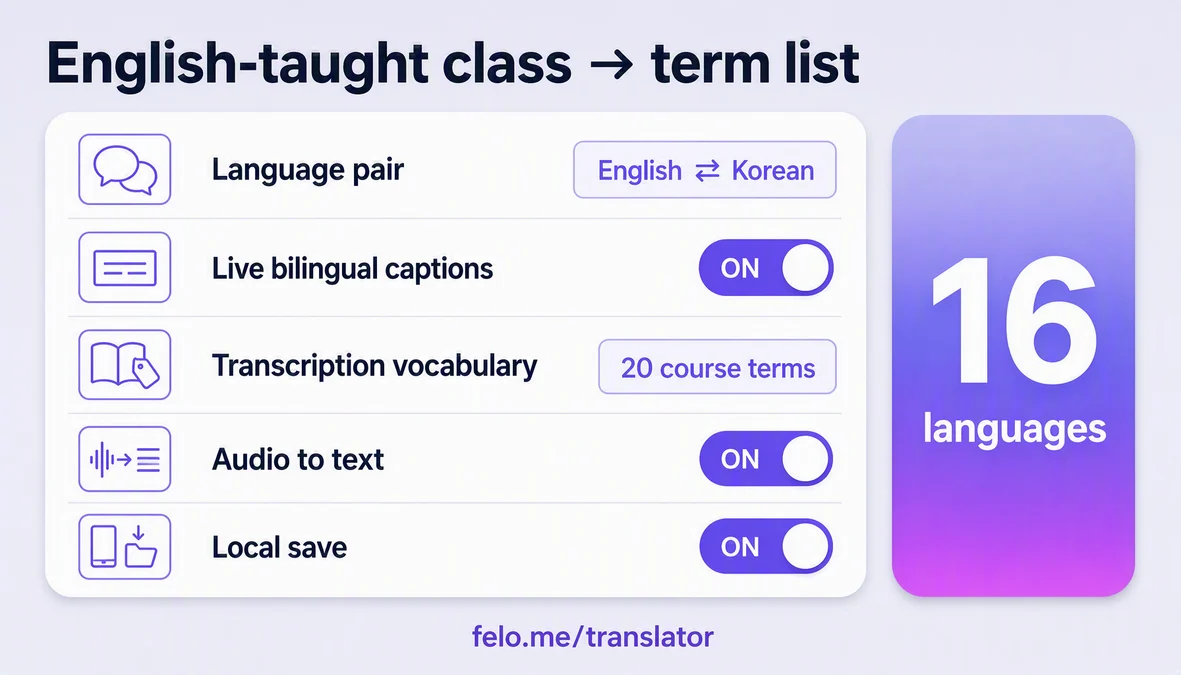
- Decide, once, what you keep. Set up Local Save so sessions and history stay on your device, and name each session by topic rather than date — "Thermodynamics — entropy" is findable in December, "week 6" is not.
- For a lecture, put the phone between you and the voice and start the session before the lecturer does. Voice Translation listens, turns speech into text and translates as it goes, with both languages on screen. Starting late costs you the opening, which is where the lecturer usually says what the hour is about.
- For a conversation, one phone between two people beats a device passed back and forth. The session is two-way: your question leaves in the other person's language and the answer comes back as text and speech. This is the part students use least and need most — office hours, group projects, a landlord.
- Mark the term, not every word. When you lose the thread, note the term itself. A single word is enough to find that whole passage in the transcript afterwards; a timestamp is not, because you will not remember what was happening at 10:42.
- Build the term's glossary the same day. Ten minutes per lecture, term plus the sentence it appeared in. This is the step that turns a translation app into a study tool, and it is the step no standalone device does for you.
Three students, three different answers
The first-year in an English-medium course. Fifty minutes of lecture, three times a week, exams in January. Buy the app. The transcript is the product here — without it you have fifteen weeks of listening and nothing to revise from.
The student whose school bans phones in class. The app cannot help you inside the room, and pretending otherwise wastes your money. Either the school already distributes recordings you can transcribe afterwards, or this is the one case where a standalone device is genuinely the answer — check your school's rule first.
The student who mainly reads set texts in a foreign language. Hours with a printed book, few live conversations. A dictionary pen is the right tool, and no app replaces it, because scanning printed text is not something a translation app does.
Make it smoother
- Run the trial day on a real lecture, not on a demo sentence. One day, listed at $0.99, tells you more than any review, because the input that matters is your lecturer's voice in your lecture hall.
- Keep one ear open. One ear for the room, one for the translation; save the spoken translation for the passages where the pace picks up.
- Sit in the front third. Microphone distance is input quality. This single habit changes results more than any setting.
- Check the language list before you commit. Felo Translator covers sixteen languages — Korean, Japanese, German, English, Simplified Chinese, Taiwanese Mandarin, Cantonese, Czech, Thai, Spanish, French, Italian, Russian, Indonesian, Vietnamese and Nepali. A device that covers your language badly is worse than an app that covers it well.
- Update the app before term starts. Recognition and translation improve with releases, and the official language list can change between terms.
What the phone-based route still won't do
- It cannot scan a printed page. There is no camera or OCR translation in Felo Translator. If your week is mostly printed text, that is a dictionary pen's job and you should buy one.
- It does not work offline. Live translation and transcription need a network connection. Local Save means sessions are stored on your device — it does not mean the app works without a connection.
- It covers the official sixteen languages only — the list above. Check it before you plan around it; Arabic and Hebrew are not on it.
- It does not replace learning the language. It buys you the content while you are still learning. Used instead of reading in the language, it gets you through exams without getting you to a point where you can work in it.
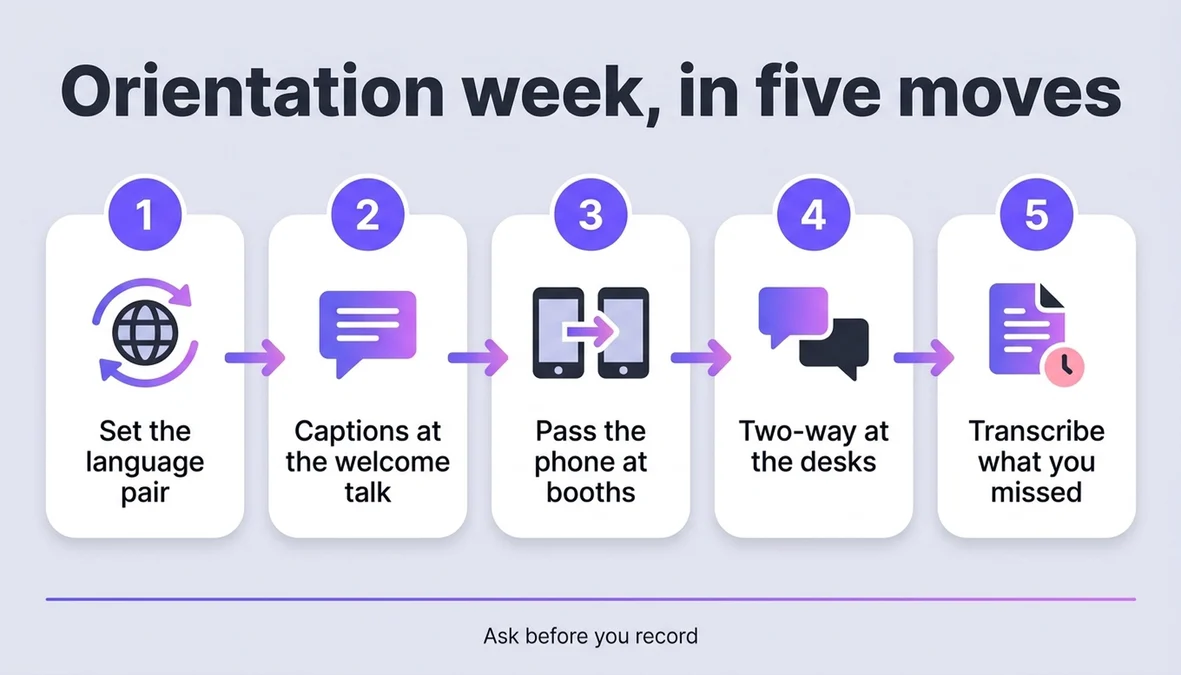
- Recording is a permission question, not a settings question. Ask the lecturer and follow your institution's rules before you bring a recorder into a room, and do not expect one phone microphone to cover a large hall — the app is built for close, live speech.
Where Felo fits in this comparison
Felo Translator is the app on the left of the table, and the column it wins is the one students actually live in: a lecture you have to follow for a whole term. Four things carry that: live voice translation in sixteen languages, a bilingual transcript where both languages appear on screen and follow the speech, transcription that turns an audio file into editable text (so a lecture you missed lands in the same format as the ones you attended), and Local Save, which keeps sessions and history on your device rather than in the cloud. It runs on iOS and Android, with an APK for regions where Google Play is not available; you do not need an account to start; and a one-day trial ($0.99) lets you test it on one real lecture. Plans, including a 120-minute package, are listed on the official pricing page.
FAQ
Is an app really enough, or do I need a dedicated device?
It depends on one thing: whether your problem happens while you are holding a phone anyway. For a lecture or a conversation, the app is enough and the transcript is a bonus you do not get from hardware. For scanning printed pages, it is not enough, and a dictionary pen is the right purchase.
Which is cheaper, buying a device or subscribing to an app?
It depends on how long you keep using it and whether you would carry a second device. A device is a one-time purchase; an app is a subscription that lives on hardware you already own. Do the arithmetic over the number of terms you have left rather than over one purchase.
Does Felo Translator work offline? Can it translate a photo of a page?
No to both. Live translation and transcription require a network connection, and there is no camera or OCR translation — Local Save stores sessions on your device, which is a storage feature, not an offline mode.
What if my language is not on the list?
Felo Translator covers sixteen languages, listed above. If yours is not among them, this route will not help you, and that is worth checking before you pay for anything — including a device, whose language coverage you should confirm on the manufacturer's own page.
By the Felo Editorial Team. The Felo Editorial Team writes about language, voice translation, and the details of talking across borders. Felo Translator is a real-time voice translation app in 16 languages, at felo.me/translator.