Before a bilingual meeting starts — the client call, the vendor visit, the interview held in another language — the same few questions come up every time. Can two people really talk through one phone? Will it hold up under business conversation? Does the other side need to install anything, and what stays behind after you leave? The answers are short, and most of them end with one setting to switch on before the first sentence. Here is the list in the order the questions are usually asked, each one leading with the conclusion.
Can a voice translation app handle a two-way meeting?
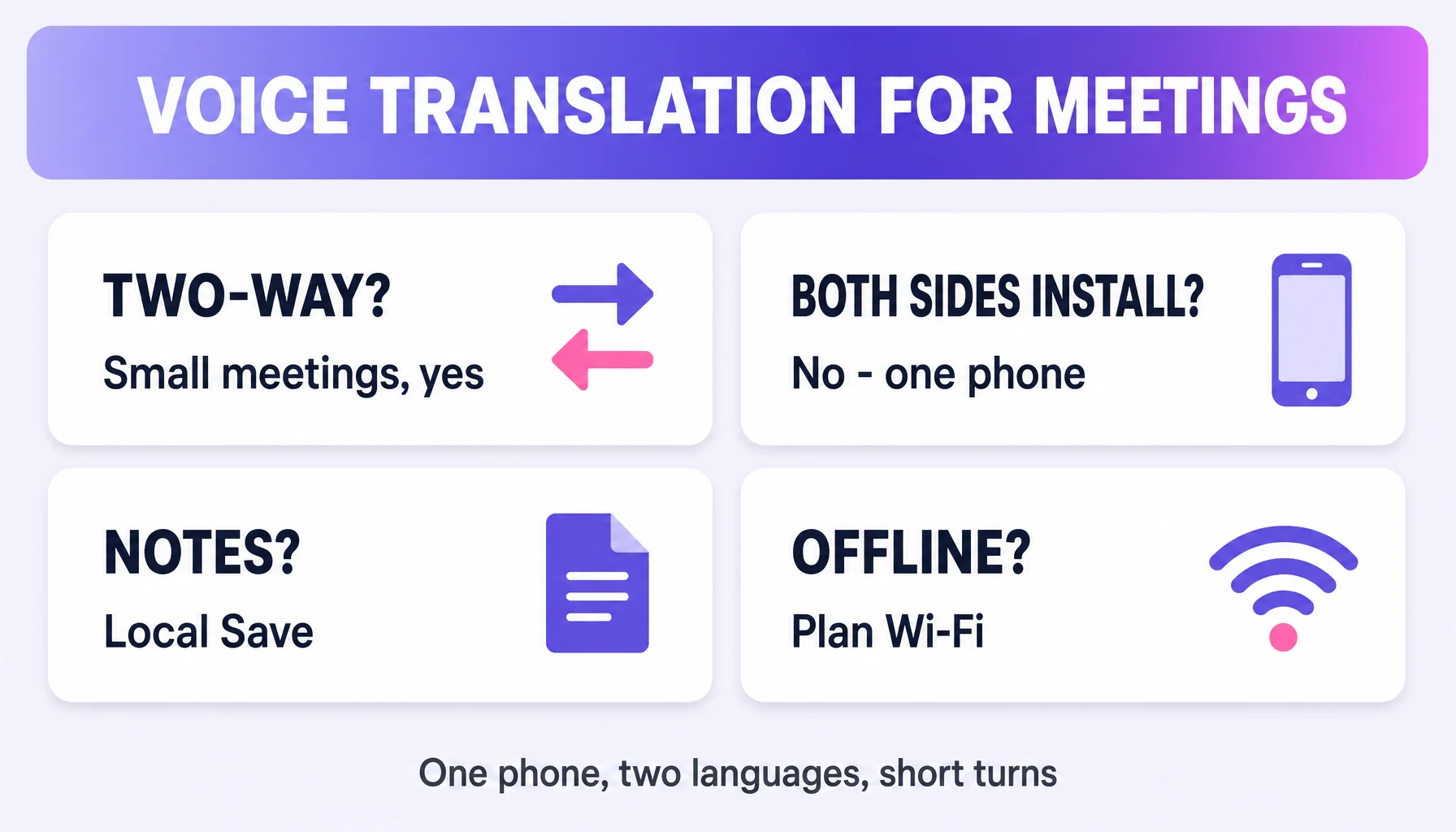
Yes — when the meeting is small. A real-time voice translator runs the same loop in a meeting as in a café: you speak, it translates and reads; the other person speaks, it translates back. Felo Translator does instant voice-to-text with multilingual translation over 15 language pairs — Korean, Japanese, German, English, Simplified Chinese, Czech, Thai, Spanish, French, Taiwanese Mandarin, Italian, Russian, Cantonese, Indonesian, Vietnamese — with results you can hear or read. It is designed for conversations, and a two-person bilingual meeting is a conversation. Check your pair is on the list before the meeting, not during it.
Is it accurate enough for business meetings?
Use it as a structural aid, not as an official transcript. The engine is high-speed, high-precision translation using the latest GPT technology — and the practical rule stays: confirm decisions twice, once in the translation and once verbally, and keep the conversation history on your device for review.
Does the other side need to install anything?
No — that is the point of a standalone app. The conversation happens on your phone; the other person just speaks, and can read the screen when you show it. No shared ecosystem, no "join this call" friction for a face-to-face meeting.
What happens after the meeting?
The record stays on your phone. With Local Save, the conversation is saved on your device for later reference — addresses, order numbers, agreed times. That is the meeting-notes job, and it runs on the device rather than in a cloud log. Switch it on before the meeting starts.
How is this different from translation built into Meet?
Meet's speech translation (expanded to 70+ languages and 2,000+ pairs per Google's official rollout) is strongest when the meeting is inside Meet. A dedicated app covers meetings in a café, on-site, or on a phone where one side is not on a platform call. Both are useful; they are different surfaces.
What about bilingual interviews?
Keep every unit short. Short units work better than long statements, for the same reason as everywhere: each unit gets recognized, translated, and confirmed before the next. Keep the pairing notes — the question translation and the answer side by side — in the app's saved conversation, and check proper nouns.
Does it work when there is no Wi-Fi?
Real-time AI translation is the working feature — and it needs a connection. The on-device feature is Local Save, conversation storage, and it is not offline translation. So plan a strong connection for meeting use, and treat the saved record as the part that stays with you.
Can I share the translation with a colleague?
Show or export what the app keeps on your device — that is your record. The translated content is a private, on-device artifact, so share the notes the way you would share any meeting note, with the same caution.
Will my meeting participants feel awkward?
Usually the opposite happens in small bilingual meetings — set it up in the first 30 seconds: "I'll speak in my language and the app will translate; please speak back slowly." Translation Reading reads the translation back with a natural cadence, which keeps the exchange from feeling mechanical.
By the Felo Editorial Team. The Felo Editorial Team writes about language, voice translation, and the details of talking across borders.