A bilingual meeting between two people does not need an interpreter, a translation service, or a platform call — it needs one phone, two languages, and a simple protocol. Felo Translator does the language work: Voice Translation takes your speech straight in and translates it instantly, Translation Reading speaks the translation back, and the screen carries a readable copy of every turn. This guide is the protocol around it — what you do before anyone arrives, how you run each turn, and what you take out of the room.
Before the meeting
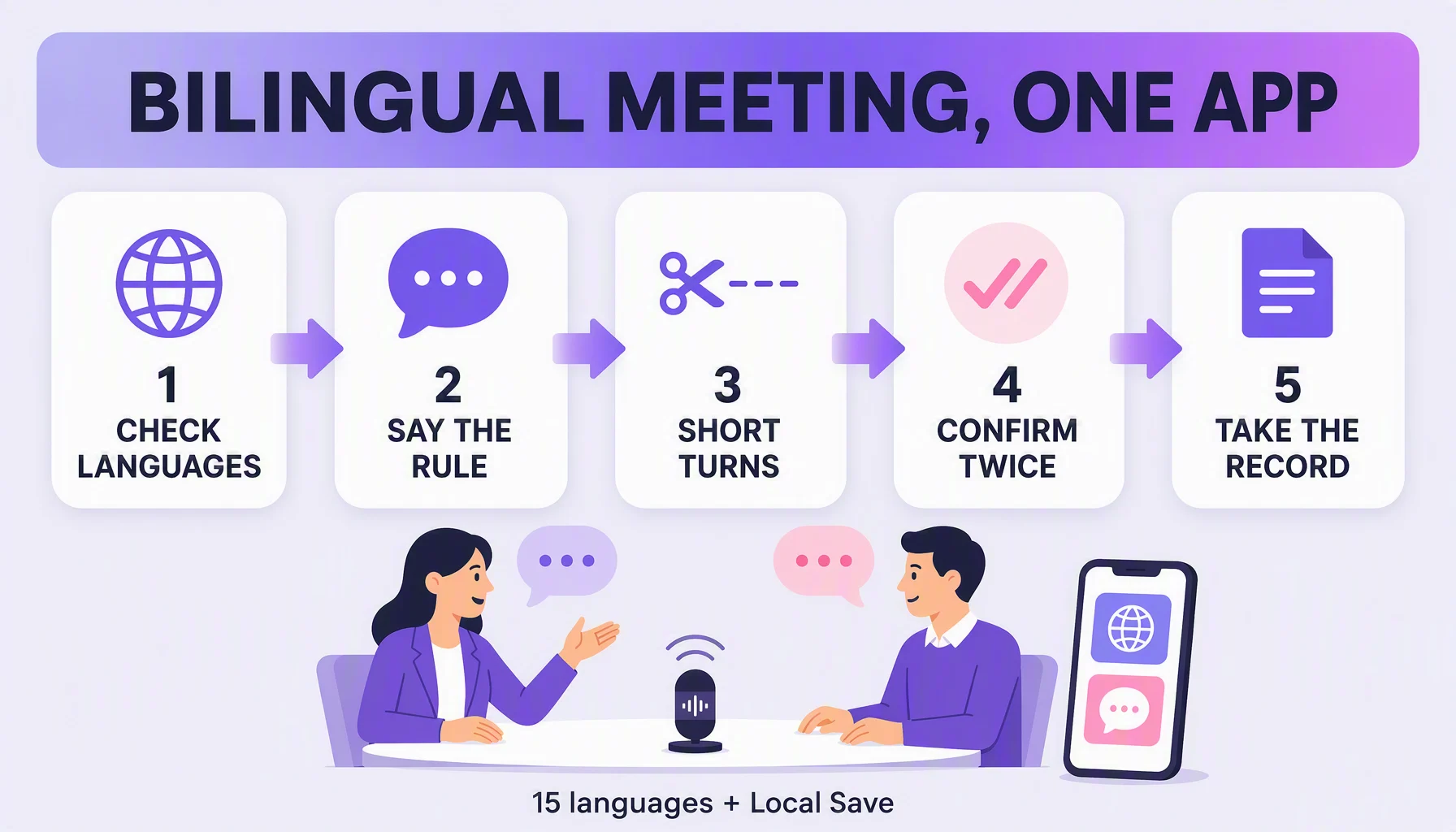
- Check both sides against the 15. The list: Korean, Japanese, German, English, Simplified Chinese, Czech, Thai, Spanish, French, Taiwanese Mandarin, Italian, Russian, Cantonese, Indonesian, Vietnamese. Both sides of the conversation must be in it; if one is not, the app is not the tool for this meeting.
- Warn people — briefly. Say it once, in both languages, at the start: "I'll speak my language and the app will translate; please speak back slowly, in short sentences." The warning is the protocol — one sentence that sets the rule the whole meeting runs on.
- Position the phone like a third person. One phone standing on the table between two people, screen angled so the other person can read the translation. The output is made to be heard or read, so put the readable half where the other side can see it.
During the meeting
- One turn, one idea. Two sentences max per turn. Long speech is the only real failure mode of a translation meeting.
- Have each side speak their own language. Do not translate the conversation in your head and half-repeat it out loud — the app takes your speech straight in; speak cleanly in yours and let it do the rest.
- Confirm hard facts twice. Prices, dates, numbers, names: state it, hear the translation, repeat it back in the other language, and wait for the nod. Numbers are the least forgiving content in any translated exchange.
- Pause while the other person reads. The screen shows the translation as the app reads it aloud — a second to read beats a third repetition.
After the meeting
- Take the record with you. Local Save keeps the conversation on your device — per the official page, "securely save" for "convenient access anytime, anywhere." The meeting record ends up in your pocket, not in a cloud thread.
- Extract the decisions, not the prose. From the saved conversation, write down: the three decisions, the number or date you confirmed, and any proper nouns. Names come through untranslated, so re-verify them from the recording, not from the translation.
Tips that make it smoother
- Confirm the numbers first. When a price, date, or count comes up, stop the flow until it is confirmed — everything else survives a rough translation, numbers do not.
- Note confirmed facts as you go. One line at the moment a number is confirmed costs seconds; digging it out of the conversation later costs minutes.
- Check what the other person can see. Angle the screen and set brightness before the meeting starts — the readable side is what keeps a face-to-face meeting smooth.
- Keep it one phone, one place. Do not pass the device back and forth; a standing phone between two people is a translator in the room, not a relay in your hands.
Watch out for
- It does not replace a professional interpreter at a contract signing. What it replaces is the unfilled meeting: the one delayed because no interpreter was free, or the check-in between a supplier and a project lead that nobody booked a language service for. For small, routine bilingual meetings, an on-device record is a practical improvement over two people pretending the language difference is not slowing the meeting.
- One side outside the 15 is a no-go. The list is fixed; if your pair is missing, the app is not the tool.
- Names and proper nouns stay untranslated. They come through as themselves, so verify them from the recording and never trust the spelling you heard.
- Bigger groups, lower fidelity. Spot translation, yes; full fidelity, no. Real-time voice translation is at its best as a two-person aid — a large multi-speaker meeting is the domain of platform meeting tools and interpretation services.
FAQ
What if the translation is wrong at a key moment? Two protections: confirm hard facts twice (state, hear, repeat back), and review the saved conversation afterwards — the record lets you catch a turn you misread in the moment. Never sign from a translation alone.
Can the other side follow along on the phone? Yes — show the screen. The app shows the translation while it reads it out, so the other person can hear it, read it, or both.
Which app settings matter for a meeting? The language pair, Local Save on, and brightness — the part the other side can actually see. Then just talk.
Does this work for a 10-person meeting? Spot translation, yes; full fidelity, no. Real-time voice translation is at its best as a two-person conversation aid; a large multi-speaker meeting belongs to platform meeting tools and interpretation services.
By the Felo Editorial Team. The Felo Editorial Team writes about language, voice translation, and the details of talking across borders.