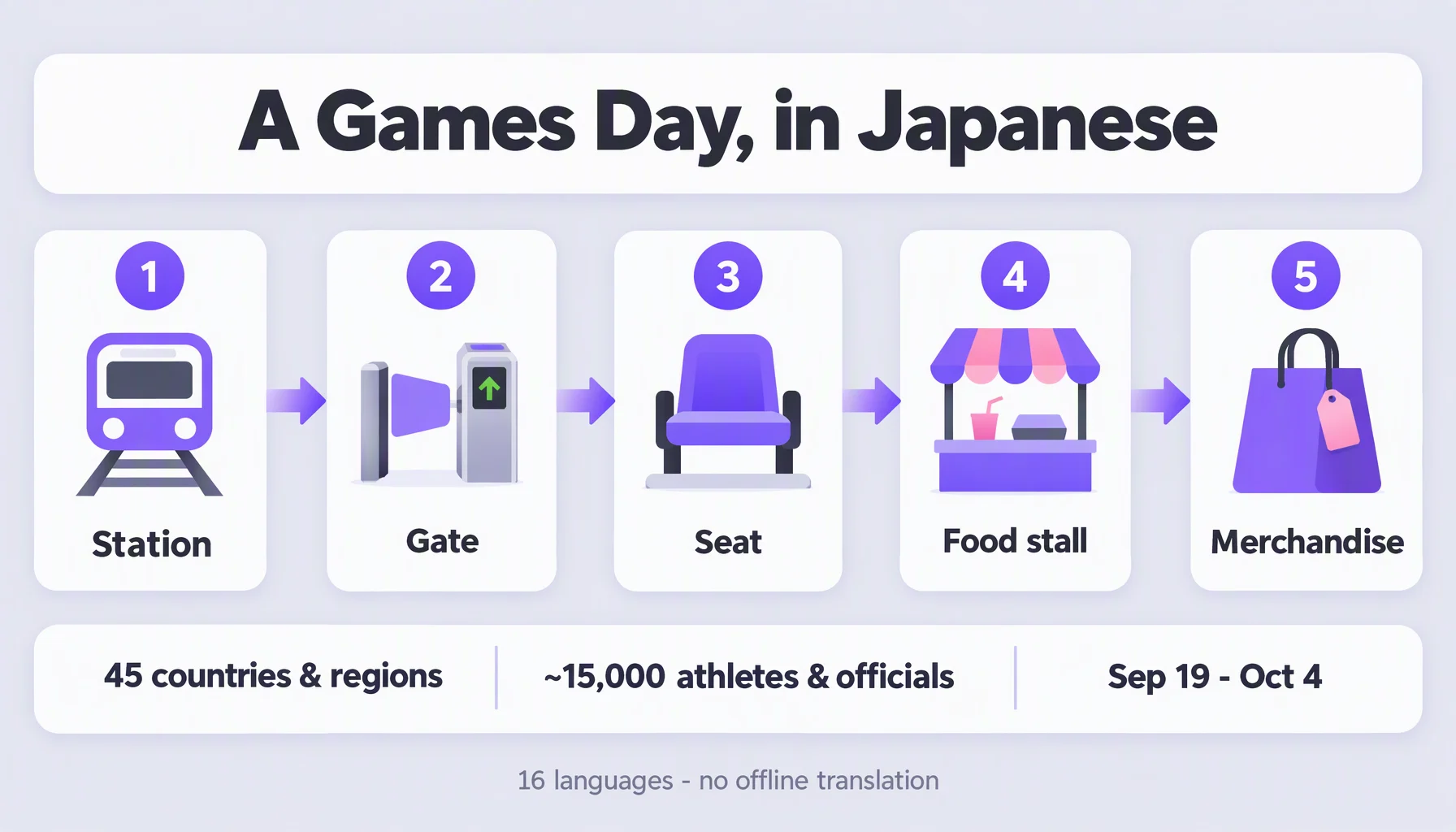
The 20th Asian Games are in Aichi and Nagoya until October 4. Forty-five countries and regions sent teams, plus the OCA Refugee Team — around 15,000 athletes and team officials, 41 sports, and more than 50 competition venues in and around Nagoya. The main venue is Nagoya City Mizuho Park Athletic Stadium; a couple of events are in Tokyo.
Which means that for two and a half weeks, one of the most multilingual crowds on earth is standing in a city where the street language is Japanese.
This is a guide for those moments. Not the ceremony, not the stadium atmosphere — the small transactions: getting to the right gate, ordering something to eat, asking where the shuttle bus stops. Each one takes about twenty seconds once you have a routine.
Before you go: three things to set up
Confirm your language pair is supported. Felo Translator's official list is 16 languages. If your language is on it, you can speak normally and get a spoken translation back. If it is not, read the limitations section below before you rely on it.
Understand what works without a signal. Live voice translation needs a network connection. The app's Local Save feature keeps your transcripts and history on your device — that is a storage feature, not offline translation. Venues are crowded; assume the network is unreliable at peak times and do the complicated conversations before you enter.
Charge and volume. A full day at venues drains a phone. Bring a battery pack, and set your media volume before you need it — you will be holding the phone between two people, so the volume has to carry a metre of air, not a room.
How to use it: seven moments
1. At the station, before you're inside the venue. Most of the confusing part of a Games day happens on the rail network, not at the stadium. Go to a staffed window rather than a machine if you need to explain something.
You say: "Which line goes to the stadium, and do I need a transfer?" On screen in Japanese: 「スタジアムに行くには何線ですか?乗り換えは必要ですか?」Staff replies in Japanese, and your language appears under it: "Take the Meijo Line, no transfer. About twenty minutes."
2. At the venue gate, when your ticket doesn't scan. Scan failures are usually about the phone's screen brightness, not the ticket. Say the problem, not the solution.
You say: "My ticket is on this phone and the gate won't read it." On screen in Japanese: 「チケットはこのスマホです。ゲートが読み取れません。」Staff: "Turn the brightness up. It works now."
3. Finding your block and seat. Show the phone rather than reading it aloud — seat numbers are the one thing where the written form is faster than the spoken one. Say the block number, let the steward read the rest.
You say: "Block C — which way do I go?" On screen in Japanese: 「Cブロックです。どちらへ行けばいいですか?」Steward: "Up to the second floor, then to your left."
4. Ordering at a food stall. This is the highest-frequency conversation of the day, and the one where a wrong translation matters least. Keep it to two sentences: what you want, and one constraint.
You say: "One of those, please — no pork." On screen in Japanese: 「それを1つお願いします。豚肉は抜きで。」Staff: "Understood. Cash or card?"
5. Buying merchandise. Sizes and colours are the two things that need to travel. Say the size; hold up your phone for the rest. If you are pointing at an item, say the item's number rather than describing it.
You say: "This one — size L. Is there another colour?" On screen in Japanese: 「これのLサイズはありますか?他の色はありますか?」Staff: "Only white left, I'm afraid."
6. If something goes wrong. For anything involving injury, a lost passport, or a lost child, stop using an app for the explaining. Find a staffed information desk or a volunteer — the Games have city volunteers working in the street and venue volunteers inside. Use the app to state the problem in one sentence, then put the phone down and let the human take over.
You say: "My child is missing. We were separated near gate 3." On screen in Japanese: 「子供が見当たりません。3番ゲートの近くではぐれました。」Then put the phone down. This is the one conversation where the app's job ends early — the steward takes over in person.
7. Talking to fans from other delegations. This is where a 16-language app stops being a Japan tool. You will be standing next to people from Thailand, Indonesia, Vietnam, Korea, Nepal — all on the official language list. The conversation you could not have had last week is now available.
You say: "Where did you travel from?" On screen in their language — Thai, not Japanese: the app renders your question into theirs. They answer in Thai, and your language appears under it: "Bangkok. Second time in Japan."
Three situations, start to finish
The station, with a paper map. You have a printed map and no idea which exit. You say the destination name and hold up the map. The app translates the name; the map does the pointing. Two sentences, ten seconds.
The food stall, at the busiest moment. Halftime, a long queue, no time to compose a sentence. You have learned to say the number and the constraint in one breath. The person behind the counter hears a complete order, not a fragment.
Outside the venue, after the session. You are talking to a supporter of the visiting team, in a language neither of you speaks natively. The app is now doing the same job in the opposite direction — you speak your language, they answer in theirs, and both of you read.
Making it smoother
- Short sentences beat good grammar. Two clauses is the practical ceiling. The most common failure mode in voice translation is a long, well-formed sentence.
- Put the phone on the counter. Between two people on a counter or a table works far better than holding it up at face height.
- Show the screen instead of playing the audio when it is noisy — the bilingual transcript is on screen, and a person can read it much faster than they can hear it.
- Say proper nouns slowly, or write them. Player names, station names, and venue names come back mangled; place names do not survive the round trip well.
- Confirm anything with a number in it. Prices, times, gate numbers, platform numbers. Say it back, or point at the screen.
Limits worth knowing
The official language list does not include Arabic or Hebrew. The supported languages are:
English | Japanese | Korean | German |
Spanish | French | Italian | Russian |
Simplified Chinese | Taiwanese Mandarin | Cantonese | Czech |
Thai | Indonesian | Vietnamese | Nepali |
If you speak Arabic or Hebrew, the app still works for you — but as a bridge to English, not as a direct interpreter for your own language. At these Games that matters: thirteen of the delegations come from West Asia, and everyday Japanese does not meet Arabic halfway.
There is no offline translation. Live translation needs a connection. The app stores your transcripts locally, which is a different thing.
There is no photo or OCR translation. You cannot photograph a menu and get a translation of it.
Names and proper nouns are the weak point. Anything already written in Roman letters and pronounced differently locally will come back damaged.
It is not an official interpreter. Ticket problems, medical forms, and anything legal go through the Games' own staff.
Where Felo fits
Felo Translator is built for the conversation in front of you rather than the document behind you: two-way voice translation that detects which side is speaking, a natural voice reading of the result, and a bilingual transcript on screen that both people can read at once. It runs on iOS and Android, needs no account, and works with the 16 languages listed above.
For a Games day it fits in a specific way. Most of what you will say is short, spoken, and needs an answer in seconds — a station, a gate, a stall. That is the shape this tool is designed around. The transcripts also stop being disposable: they save on your device, so the phrase that worked at the ticket gate on Tuesday is still there on Saturday when you are back at the same gate.
The official product page is at felo.me/translator, and the language list and pricing are on felo.me/pricing.
FAQ
Can I use it without a data connection at the venue? No. Live translation requires a network connection. Transcripts and history are saved on your device, but that is storage, not offline translation — do the complicated conversations before you go inside.
Does it support Arabic or Hebrew? No. The official list of 16 languages does not include either. If you speak Arabic or Hebrew, the practical setup is your language ⇄ English, with English as the bridge.
Will it work for Japanese ↔ my language directly? If your language is one of the 16 and Japanese is one of them, yes — the app detects which side is speaking and translates in both directions without you switching a setting.
What should I do for something serious, like a medical problem? Use the app for one sentence to say what is wrong, then find a member of staff. The Games have venue volunteers and city volunteers who are there for exactly this.
By the Felo Editorial Team. The Felo Editorial Team writes about language, voice translation, and the details of talking across borders.