How to Run a Multilingual Meeting Without Losing Your Mind
You've scheduled a meeting with team members in Tokyo, Prague, and São Paulo. The agenda is set, the calendar invite is sent — but nobody agreed on a language. English works for some, not for others. Do you hire an interpreter? Use an AI tool? Just muddle through?
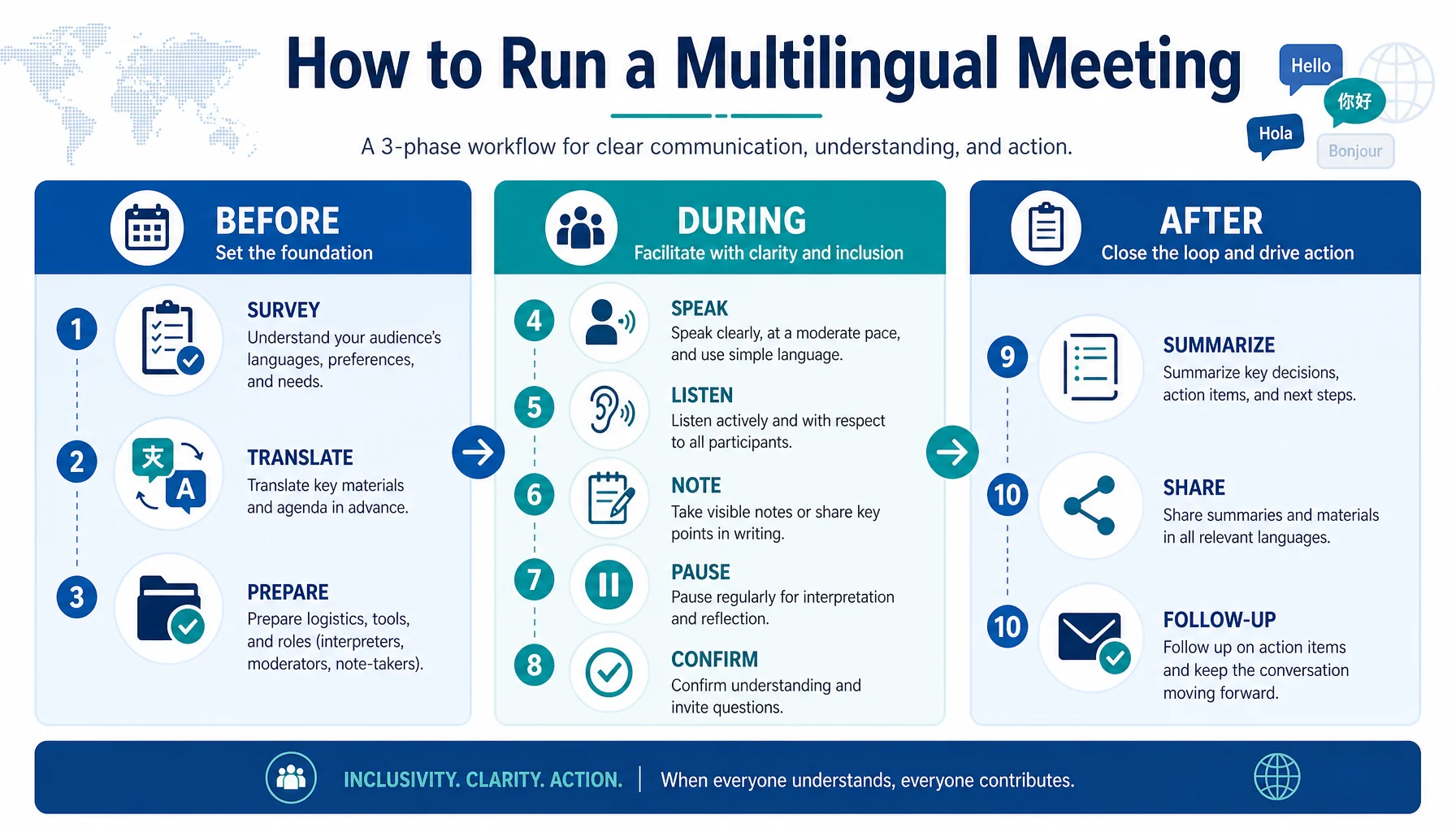
This guide walks through the three phases of a multilingual meeting — before, during, and after — with a practical checklist.
Before the Meeting
- Survey participants on language preference. Send a quick poll: "Which language are you most comfortable working in?" Don't assume English is fine for everyone.
- Decide on a translation strategy. Based on the language mix, choose: one working language + AI translation, multilingual AI tools for real-time translation, or a human interpreter for critical sessions.
- Prepare materials in advance. Share the agenda and key documents at least 48 hours early. If possible, provide translated versions so participants can prepare in their preferred language.
During the Meeting
- Set expectations upfront. State which languages will be used, how translation will work, and that people should speak clearly and pause between points. This gives the translation tool a better signal.
- Use a voice translation tool for conversation. For two- or three-language meetings, a voice translation app that auto-detects both languages lets participants speak naturally. The bilingual transcript creates a record of what was said.
- Assign a note-taker who captures decisions in one language. Regardless of how many languages are spoken, document decisions and action items in a single language (usually English) to avoid ambiguity.
- Pause after complex points. If someone makes a detailed statement, pause and ask, "Does everyone follow?" This gives slower processors time to catch up and surfaces misunderstandings early.
- Confirm action items in writing before ending. Summarize who is doing what by when. Ask each person to confirm their understanding. This prevents the "I thought you meant…" problem across languages.
Scenario Examples
Scenario 1: Weekly team sync, English/Japanese/Spanish. Team uses a voice translation app. Each person speaks their preferred language; the app translates in real time. Transcript shared after. Cost: ~$40/month.
Scenario 2: Quarterly board meeting, Germany/Korea/US investors. High-stakes content. Board hires interpreter for presentations, uses voice app for Q&A. Materials pre-translated. Cost: ~$3,000 + $40.
Scenario 3: Brainstorming, 8 participants, 5 languages. Collaborative whiteboard with real-time translation. Participants type in their language; tool translates to each viewer's preference. Facilitator summarizes in English.
Tips for Smoother Multilingual Meetings
- Keep sentences short and simple. Avoid idioms and complex clauses. "Let's move the deadline to Friday" beats "Let's push the deliverable down the road."
- Speak at a moderate pace. Most tools handle 120–150 words per minute well. Faster speech increases errors and makes it harder for non-native listeners.
- Use visual aids. Slides and diagrams reduce reliance on spoken language. If someone misses a word, they can follow the visual.
- Follow up in writing. After every multilingual meeting, send a summary with decisions and action items. This helps people who struggled to follow catch up.
Limitations to Plan Around
- Voice translation needs internet. Unstable connectivity means the tool may lag or drop out. Have a backup plan (text chat, pre-translated materials).
- Technical jargon doesn't translate well. Industry terms and acronyms may be mistranslated. Define key terms at the start or provide a glossary.
- Cultural communication styles differ. Some cultures are direct; others indirect. A "yes" may mean agreement, or "I hear you." Clarify when in doubt.
- Time zone overlap limits duration. Plan for 45-minute meetings instead of 90-minute marathons.
- Not everyone participates equally. Non-native speakers may stay quiet. Actively invite input and create space for written contributions.
How Felo Translator Supports Multilingual Meetings
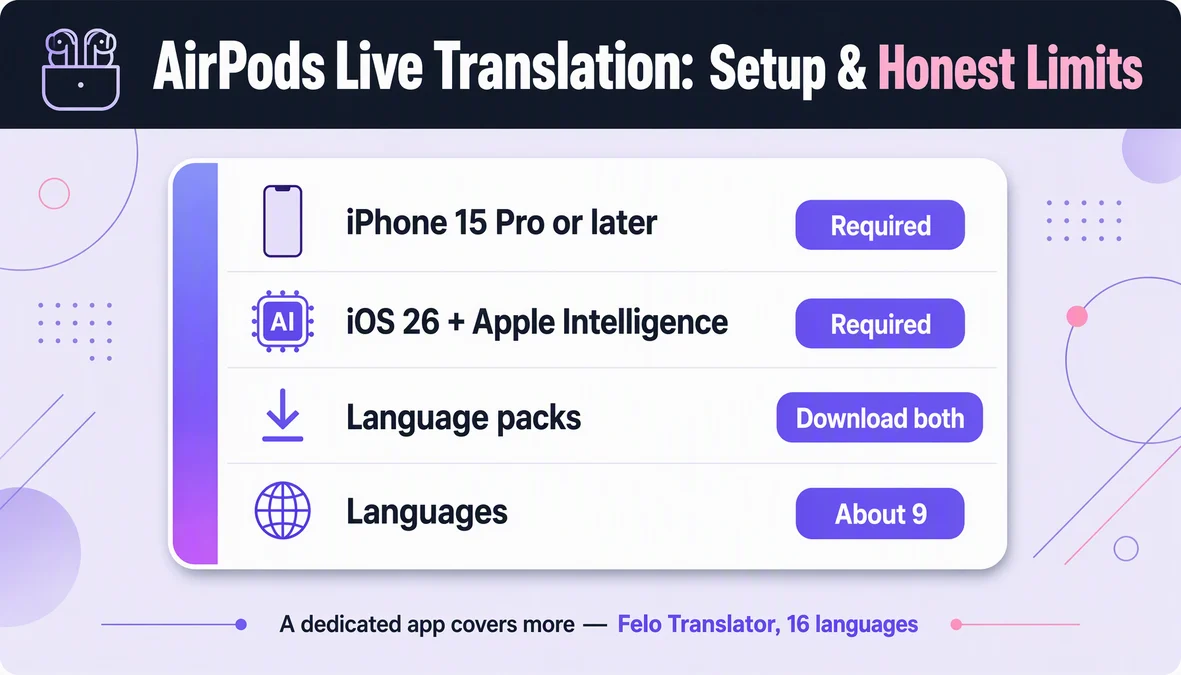
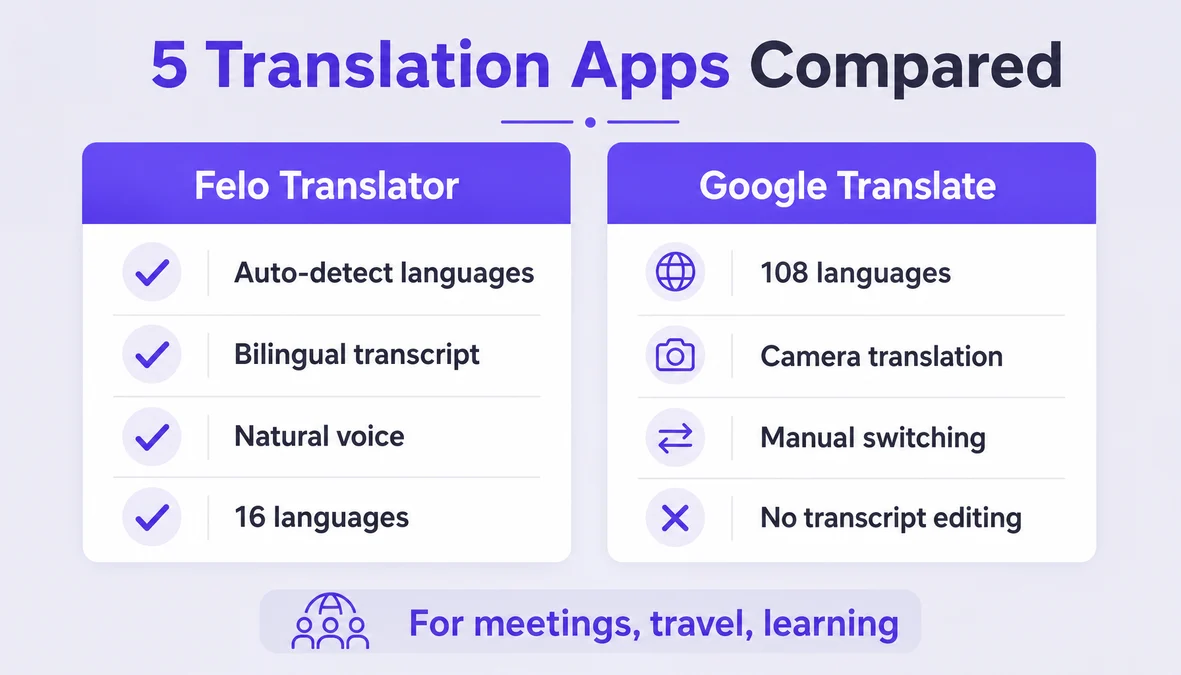
Felo Translator is a voice translation app that auto-detects both languages and produces a bilingual transcript. It supports 16 languages: Korean, Japanese, German, English, Simplified Chinese, Taiwanese Mandarin, Cantonese, Czech, Thai, Spanish, French, Italian, Russian, Indonesian, Vietnamese, and Nepali.
For meetings, Felo Translator works well for short exchanges — questions, responses, clarifications. The bilingual transcript gives you a written record to share after the meeting.
Pricing: $0.99 for a 1-day trial, $3.90 for 120 minutes, $39.90 monthly, or $239.99 yearly. Available on iOS and Android. No offline mode; photo translation not supported.
For longer presentations or technical content, pair Felo Translator with pre-translated materials or a human interpreter. For conversational exchanges, the app handles it.
Learn more at felo.me/translator.
FAQ
Do I need an interpreter for a multilingual meeting? For routine team syncs and brainstorming, AI voice translation handles most situations. For board meetings or legal negotiations where precision is critical, hire a professional interpreter. You can use both: interpreter for formal content, AI for informal discussion.
How do I handle more than three languages? Voice translation tools handle two languages at a time. For three or more, agree on one or two working languages, and participants who don't speak those use a translation tool individually. Alternatively, use a collaborative document tool with real-time translation.
What if someone speaks too fast? Ask the speaker to slow down and pause between points. Most tools work best with utterances under 30 seconds. For long monologues, switch to a shared document with real-time translation or have them provide notes in advance.
Can I record for people who couldn't attend? Yes, with consent. Record the audio and save the bilingual transcript. Share both: the recording lets people hear tone, the transcript lets them scan for key points. Always document decisions separately in a single language.
By the Felo Editorial Team. The Felo Editorial Team writes about language, voice translation, and the details of talking across borders.
Felo Translator is a real-time voice translation app in 16 languages, at felo.me/translator.