The Complete Guide to AI Translator Tools in 2026
AI translation tools have evolved from clunky dictionary lookups into systems that can translate a live conversation, render a foreign-language sign in real time, or dub a video while preserving the speaker's voice. The market has expanded so fast that most people don't realize how many categories exist — or which tool fits which situation.
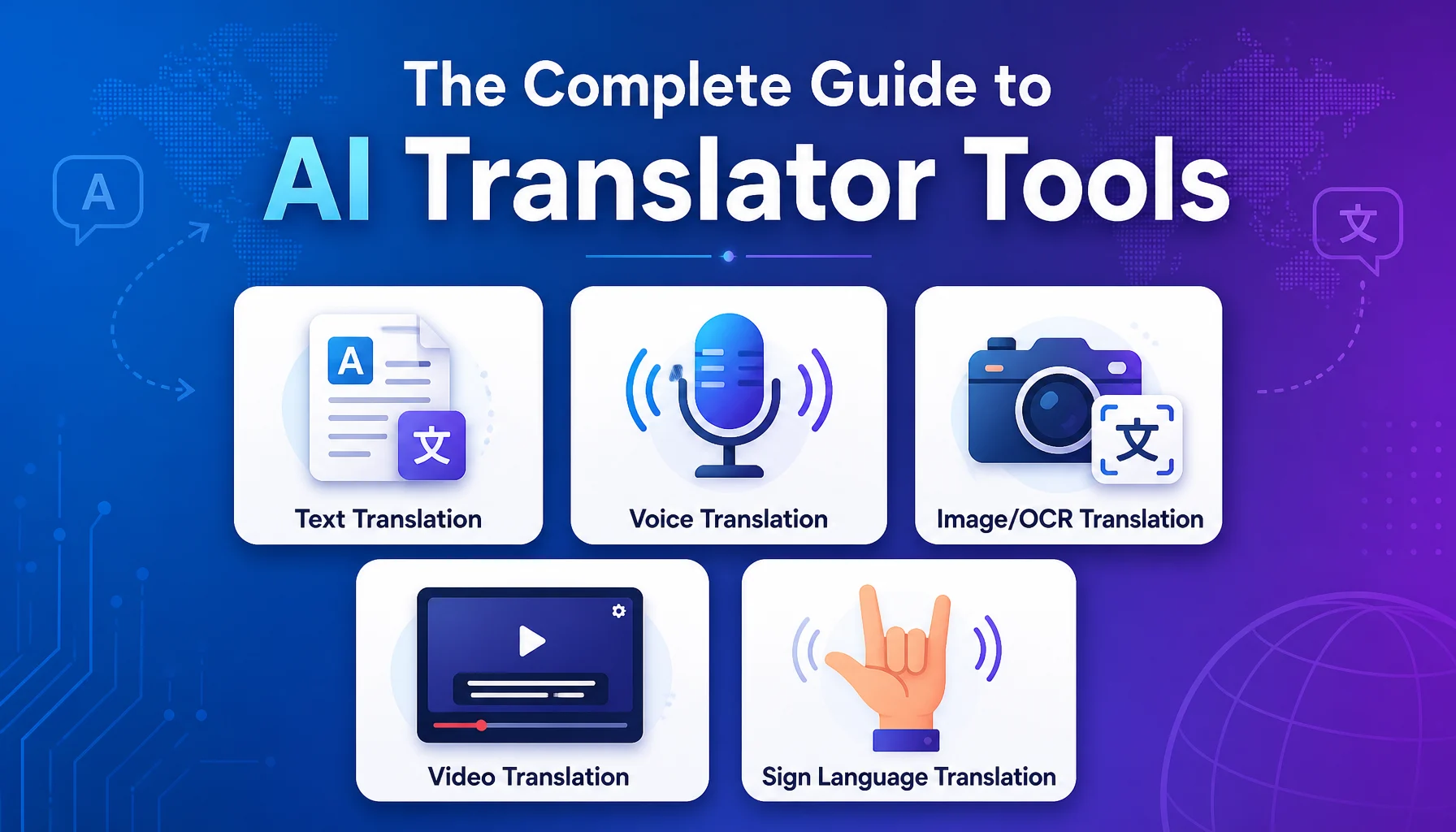
This guide maps the full landscape of AI translation tools in 2026: text translators, voice translators, video translation platforms, sign language tools, and everything in between. By the end, you'll have a clear picture of what's available, what each category does well, and how to choose the right tool for your needs.
Before You Start Evaluating Tools
- Define your primary use case. Are you translating text documents, having conversations, watching foreign-language videos, or something else? The use case determines the category.
- List your language pairs. Not all tools support all languages. Some specialize in European languages; others cover Asian languages better.
- Decide your budget. Free tools work for casual use. Professional or business use usually requires a paid subscription — typically $10–$50/month for individuals, more for teams.
Category 1: Text Translation Tools
Text translation is the oldest and most mature category. You type or paste text in one language, and the tool returns translated text in another.
How It Works
Text translation tools use neural machine translation (NMT) models trained on billions of sentence pairs. Modern systems handle context across sentences, preserve formatting, and adapt to domain-specific vocabulary when you provide glossaries or translation memories.
What You'll See
- Input box where you type or paste text (usually with a character limit, often 5,000–10,000 characters for free tiers).
- Language selectors for source and target languages (sometimes with auto-detect for the source).
- Translated output that updates as you type or after you submit.
- Alternative translations for ambiguous phrases — click a word to see other options.
- Copy, share, or export buttons to save the result.
Strengths
- Fast and accurate for most general-purpose text.
- Handles long documents (some tools process entire PDFs or Word files).
- Easy to review, edit, and refine the output.
- Works offline in some tools (with downloaded language packs).
Limitations
- No audio input or output — you must type everything.
- Doesn't handle images, signs, or video.
- Accuracy depends on text quality: garbled input produces garbled output.
Notable Tools
Google Translate remains the most widely used, covering 130+ languages. DeepL focuses on European languages with a reputation for natural-sounding output. Microsoft Translator integrates with Office products and supports 100+ languages. Papago (by Naver) excels at Korean, Japanese, and Chinese.
Category 2: Voice Translation Tools
Voice translation adds speech recognition and text-to-speech to the translation pipeline. You speak, the tool recognizes your words, translates them, and reads the translation aloud — often in both languages.
How It Works
The pipeline has three stages: automatic speech recognition (ASR) converts your speech to text, machine translation converts the text to the target language, and text-to-speech (TTS) reads the translation aloud. The whole process happens in 1–3 seconds for short utterances.
What You'll See
- Microphone button to start and stop recording.
- Auto-detection of the source language (in advanced tools).
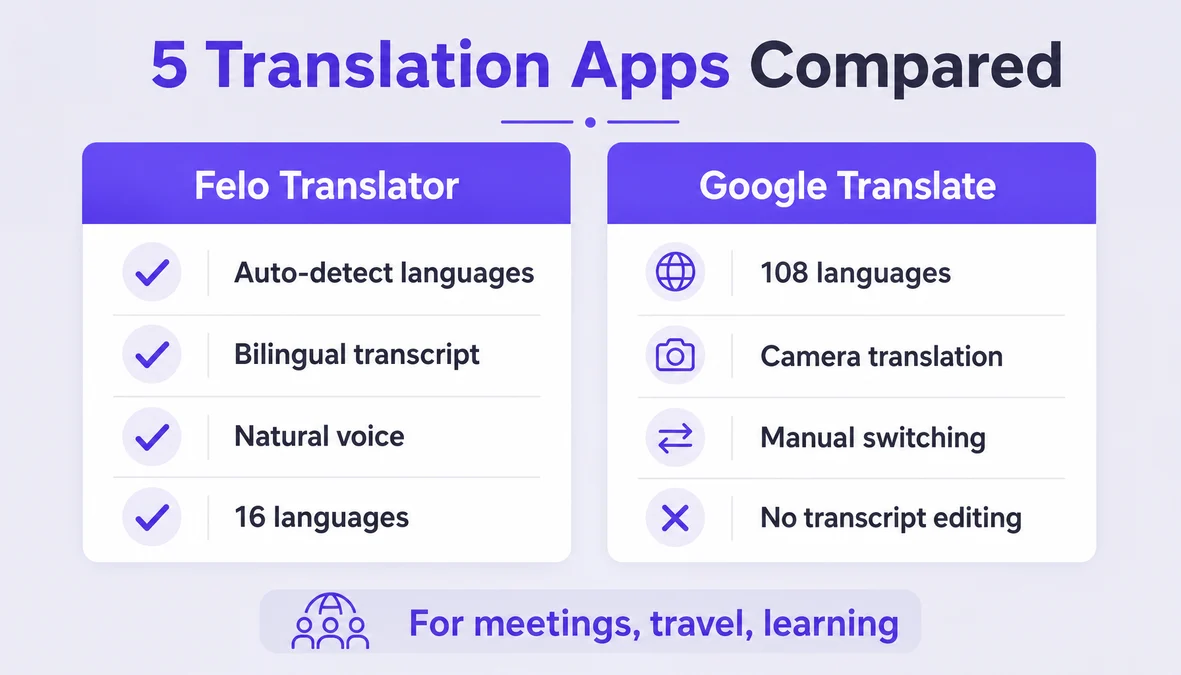
- Bilingual transcript showing both the original and translated text.
- Audio playback of the translated text in a natural-sounding voice.
- Conversation mode where the tool alternates between two languages as each person speaks.
Strengths
- Enables real-time conversation between people who speak different languages.
- No typing required — just talk naturally.
- Bilingual transcript provides a written record of the exchange.
- Works well for travel, customer service, healthcare intake, and casual business meetings.
Limitations
- Requires internet connectivity (cloud-based ASR and translation).
- Background noise, accents, and rapid speech reduce accuracy.
- Not suitable for long monologues — works best with exchanges under 30 seconds.
- No offline mode in most tools.
Notable Tools
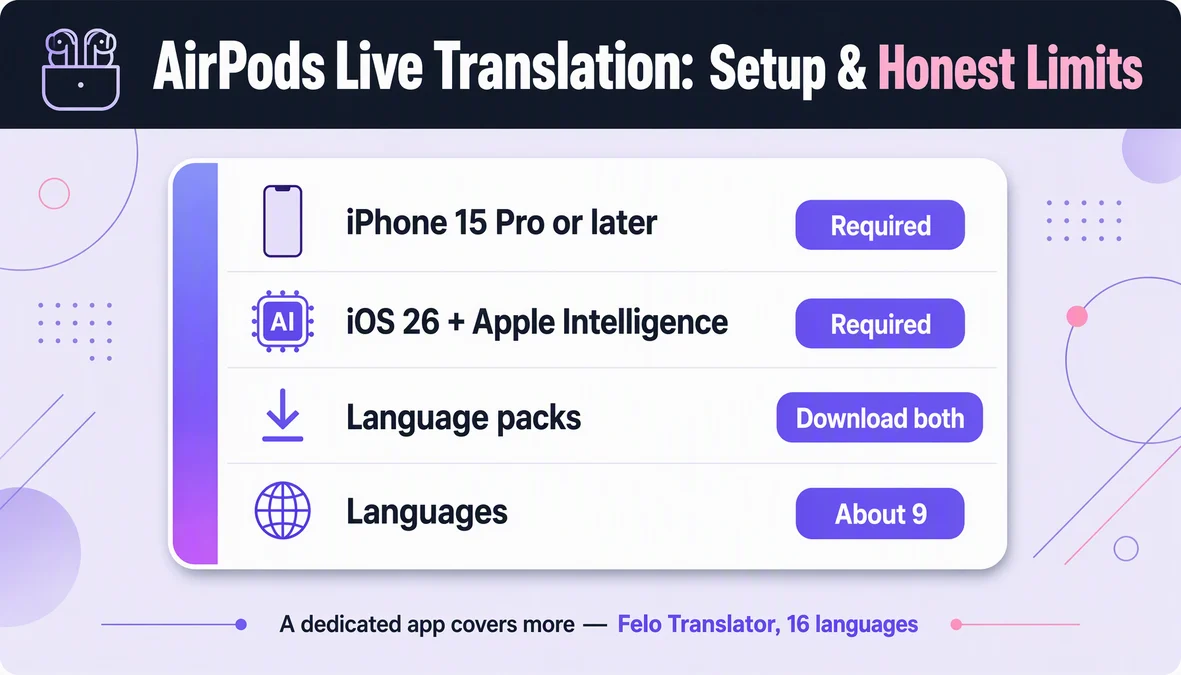
Felo Translator supports 16 languages with auto-detection of both speakers' languages and saves a bilingual transcript locally. Google Translate's conversation mode covers 70+ languages. Apple's Translate app works on iPhone and iPad with offline support for some language pairs. iTranslate focuses on voice conversation with a clean interface.
Category 3: Image and OCR Translation Tools
These tools translate text captured from images — signs, menus, labels, documents, packaging. You point your camera at something, and the tool overlays the translation on the original image.
How It Works
Optical character recognition (OCR) extracts text from the image. Machine translation converts the text. The tool then renders the translated text over the original image, either as a subtitle or as a replacement that mimics the original font and layout.
What You'll See
- Camera viewfinder that detects text in real time.
- Highlighted text regions showing where OCR found text.
- Translated overlay on top of the original image.
- Full-text panel with the complete translation below the image.
- Photo upload option for translating images from your gallery.
Strengths
- Instantly translates physical-world text: signs, menus, product labels, documents.
- No need to retype text manually.
- Useful for travel, shopping, reading foreign-language documents.
Limitations
- OCR accuracy depends on image quality, lighting, and font clarity.
- Handwriting is harder to recognize than printed text.
- Complex layouts (tables, multi-column text) may not translate correctly.
- Not a substitute for professional document translation in legal or medical contexts.
Notable Tools
Google Lens integrates with Google Translate and works in real time through the camera. Apple's Live Text (built into iOS) can translate text in photos. Naver Papago's image translation handles Korean, Japanese, and Chinese well. Yandex Translate covers Russian and CIS languages effectively.
Category 4: Video Translation and Dubbing Tools
These tools translate the audio track of a video and either add subtitles or generate a dubbed audio track in the target language. Some can even clone the original speaker's voice.
How It Works
The pipeline: speech-to-text transcription of the original audio, translation of the transcript, text-to-speech generation of the translated audio (optionally using voice cloning to match the original speaker), and synchronization with the video timeline. Subtitle generation is a simpler variant that skips the dubbing step.
What You'll See
- Video upload interface (or URL input for online videos).
- Language selection for source and target languages.
- Transcript editor where you can review and correct the transcription before translation.
- Translated subtitle preview overlaid on the video.
- Dubbed audio playback with the translated voice synchronized to the video.
- Export options for subtitled video, dubbed video, or subtitle files (SRT, VTT).
Strengths
- Makes video content accessible across language barriers.
- Voice cloning preserves the speaker's identity in dubbed versions.
- Subtitles are cheaper and faster to produce than full dubbing.
- Useful for e-learning, marketing videos, YouTube content, and corporate communications.
Limitations
- Voice cloning quality varies — some tools produce robotic or unnatural output.
- Lip sync is imperfect; dubbed audio rarely matches mouth movements exactly.
- Long videos take significant processing time (a 10-minute video may take 20–60 minutes to process).
- Cost scales with video length — dubbing is expensive for long content.
Notable Tools
Eleven Labs offers high-quality voice cloning and dubbing in 29 languages. Rask AI specializes in video localization with automatic lip sync. HeyGen provides AI avatars and video translation for marketing content. YouTube's auto-translate feature adds subtitles in 100+ languages (quality varies). Descript includes translation and dubbing in its video editing suite.
Category 5: Sign Language Translation Tools
Sign language translation converts spoken or written language into sign language (via avatar or video), or converts sign language into text/speech. This is the least mature category, with significant technical challenges.
How It Works
Sign-to-text systems use computer vision to track hand shapes, facial expressions, and body movements, then map them to glosses or translated text. Text-to-sign systems generate animated avatar performances of sign language from translated text. Both directions are research-heavy and not yet production-ready for most languages.
What You'll See
- Camera input for capturing sign language.
- Skeleton tracking overlay showing detected hand and body positions.
- Text output of the translated sign.
- Avatar output showing an animated figure performing the sign translation.
- Limited language support — most tools cover only American Sign Language (ASL) or a few major sign languages.
Strengths
- Potential to bridge communication between deaf/hard-of-hearing individuals and non-signers.
- Avatar-based output can be used in kiosks, websites, and public information displays.
- Growing research investment from major tech companies.
Limitations
- Accuracy is low compared to other translation categories — typically 60–80% for sign-to-text.
- Sign languages are not universal: ASL, British Sign Language (BSL), and Japanese Sign Language (JSL) are completely different languages.
- Facial expressions and body posture carry grammatical meaning, making computer vision more complex.
- Few commercial tools are production-ready. Most are research prototypes or limited demos.
Notable Tools
SignAll developed a commercial ASL recognition system for kiosks and customer service. Hand Talk uses avatars to translate text into Brazilian Sign Language (Libras). SignalAvto converts text to sign language avatars for accessibility. Google's Project Euphonia research includes sign language recognition prototypes.
Selection Matrix: Which Tool for Which Job
Use Case | Recommended Category | Key Considerations |
|---|---|---|
Translating emails, documents, web pages | Text translation | Accuracy, document support, language coverage |
Real-time conversation with someone | Voice translation | Auto-detection, bilingual transcript, speed |
Reading a foreign menu or sign | Image/OCR translation | Camera quality, real-time overlay, offline support |
Making a video accessible in another language | Video translation/dubbing | Voice quality, lip sync, subtitle accuracy |
Communicating with a deaf person | Sign language translation | Accuracy, sign language variety, avatar quality |
Multilingual customer support | Text + voice combo | Integration with helpdesk, response time, cost |
Travel: asking for directions | Voice translation | Speed, auto-detection, audio output |
E-learning localization | Video translation + text | Subtitle accuracy, voice quality, batch processing |
Tips for Getting Better Results from Any AI Translator
- Provide context. If the tool allows notes, glossaries, or context fields, use them. Domain-specific terms translate better when the tool knows the field.
- Review critical translations. AI translation is 90%+ accurate for general content, but that 5–10% error rate matters for legal contracts, medical instructions, or safety information. Always have a human reviewer for high-stakes content.
- Use the right tool for the job. Don't try to translate a video with a text tool, and don't use a voice translator for a 50-page document. Match the category to your use case.
- Check language support before committing. Some tools cover 130+ languages; others specialize in 10–20. Make sure your language pair is supported — and that both directions work well.
- Test with real content before paying. Most tools offer free tiers or trials. Run your actual use case through the tool before subscribing. Marketing claims about accuracy don't always match reality for your specific language pair or domain.
Limitations That Apply Across All Categories
- No tool is perfect. Even the best AI translation systems make errors. The errors are usually subtle — wrong word choice, awkward phrasing, missed nuance — which makes them harder to catch than obvious mistakes.
- Context is everything. AI translates words and phrases, but meaning depends on context. A tool that doesn't understand your situation will produce translations that are technically correct but pragmatically wrong.
- Cultural adaptation is limited. AI translates language, not culture. Politeness conventions, humor, idioms, and social norms don't always transfer. For high-context communication, human judgment is still necessary.
- Privacy matters. When you use a cloud-based translation tool, your text, audio, or video passes through the provider's servers. For sensitive or confidential content, check the provider's data handling policy — or use an offline tool.
- Language coverage is uneven. Major world languages (English, Spanish, Chinese, French, German, Japanese) get the best accuracy. Low-resource languages (Nepali, Czech, Vietnamese, Indonesian) often have less training data and lower quality. This gap is closing, but it still matters.
How Felo Translator Fits Into the AI Translation Landscape
Felo Translator is a voice translation app that focuses on real-time conversation between speakers of different languages. It auto-detects both languages, produces a natural voice reading of the translation, and saves a bilingual transcript locally on your device.
Felo Translator supports 16 languages: Korean, Japanese, German, English, Simplified Chinese, Taiwanese Mandarin, Cantonese, Czech, Thai, Spanish, French, Italian, Russian, Indonesian, Vietnamese, and Nepali. It's available on iOS and Android.
The app is designed for conversation — not document translation, not image translation, not video dubbing. If your primary need is to talk with someone who speaks a different language, Felo Translator is purpose-built for that.
Pricing: $0.99 for a 1-day trial, $3.90 for 120 minutes, $39.90 monthly, or $239.99 yearly. There's no offline mode, and photo translation is not supported.
For text translation, image translation, or video dubbing, you'll need other tools from the categories above. For voice conversation in 16 languages, Felo Translator handles it well.
Try it at felo.me/translator.
FAQ
What's the most accurate AI translation tool? Accuracy depends on the language pair and content type. For text translation, DeepL and Google Translate lead for European languages; Papago leads for Korean/Japanese/Chinese. For voice translation, accuracy varies more by environment and speaker clarity than by tool. No single tool is "most accurate" across all use cases.
Can AI translators replace human translators? For general-purpose content — travel conversations, casual emails, basic documents — yes, AI translators handle most situations well. For legal contracts, medical records, literary works, marketing copy with cultural nuance, or anything where errors have serious consequences, human translators (or at least human review) are still necessary.
Are free AI translators good enough? For casual use, yes. Google Translate, Microsoft Translator, and others offer robust free tiers. The limitations are usually around character counts, document size, or advanced features like glossaries and translation memory. For business or professional use, paid plans unlock higher limits, better privacy, and integration with other tools.
Which AI translator works offline? Google Translate, Microsoft Translator, and Apple Translate offer offline modes for some language pairs (you download language packs in advance). Most voice translation apps, including Felo Translator, require internet connectivity. Image translation tools vary — Google Lens works offline for some languages, others require connectivity.
By the Felo Editorial Team. The Felo Editorial Team writes about language, voice translation, and the details of talking across borders.
Felo Translator is a real-time voice translation app in 16 languages, at felo.me/translator.