A lecture is the one conversation you can't ask to slow down. The professor speaks at speaking speed, the terms stack up, and by the time you have translated one definition in your head, the next slide is already up.
This is the workflow for the other half of that problem: not only following the lecture as it happens, but walking out with a bilingual record you can reopen the night before the exam. Setting it up takes ten minutes once; after that it is a routine you repeat in every class.
Prepare these three things (ten minutes)
- Install it on the device you actually bring to class. Felo Translator is on the App Store for iOS and on Google Play for Android, and there is an Android APK for phones without Play. No account is needed to start, and the one-day trial is enough to test it in a real lecture.
- Set the language pair, then test it in 30 seconds. The app supports 16 languages — Korean, Japanese, German, English, Simplified Chinese, Taiwanese Mandarin, Cantonese, Czech, Thai, Spanish, French, Italian, Russian, Indonesian, Vietnamese, and Nepali. It detects which language each side is speaking, but set your own pair before the lecturer walks in: read one sentence of the syllabus out loud and check that the text comes back correctly.
- Turn on Local Save and bring power. Sessions are the study material, so keep them on your device, and remember that live transcription runs on the battery — a power bank covers a full day of lectures.
How to use it in a lecture (7 steps)
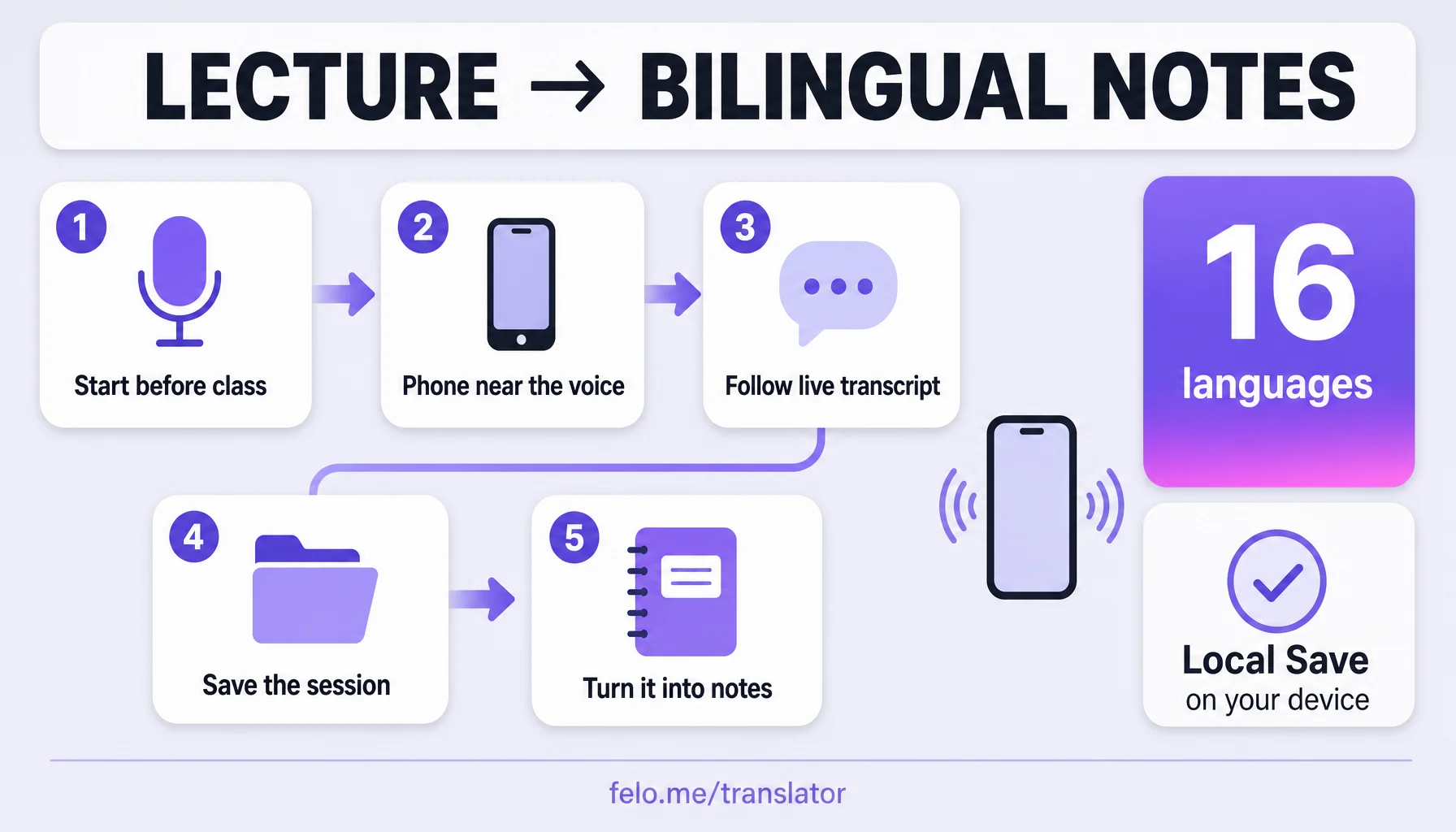
- Open a session before the lecturer starts talking. In Voice Translation, start the live session while the room is still settling. From that point the app listens, transcribes what is said, and translates it as it goes, with both languages on screen.
- Put the phone where the voice is. Microphone distance is the real input quality. On a table near the front, the transcript is clean; from the back of a hall it is guesswork. Arriving two minutes early is the cheapest upgrade you will get all semester.
- Follow the live bilingual transcript, not the audio alone. With earphones, one ear takes the room and one takes the translation — Translation Reading reads the translated text back in a natural voice while the original is still happening live. You keep the lecturer's tone of voice and the meaning at the same time.
- Type nothing during class — just mark the moments. Write down the slide number whenever you lose the thread. The transcript runs in order, so a slide number is enough to find that passage again after class.
- Ask in short turns. The session runs both ways: your question goes out in the lecturer's language, and the answer comes back to you as text and voice. One sentence per turn, spoken toward the device, keeps the catch clean.
- Complete the parts you missed, right after class. Reopen the saved session while the lecture is still fresh. If you recorded the class as an audio file (with permission — see the limits below), the transcriber turns that recording into text as well, so both pieces end up in the same place.
- Turn the session into notes the same day. Edit the transcript, keep the bilingual pairs for the terms your course keeps repeating, and save it with a clear name: course, date, topic. Ten minutes of tidying on the day is what makes the session usable in week twelve.
Before the next lecture, reread that file with the slides open and rewrite the three points you did not understand in your own words. That is the whole system: live translation for the moment, a saved bilingual transcript for the review.
Three moments it earns its place
The 90-minute core lecture. Dense definition after dense definition, one per minute. The live transcript catches them as text, and the review turns a scramble to borrow someone's notes into a clean list of the terms the course actually runs on.
The seminar that keeps telling stories. Lecturers explain ideas through anecdotes — and anecdotes are the hardest thing to translate on the fly. The transcript keeps the story and the definition side by side, so the example and the concept stay connected.
The night before the first quiz. No rewatched recordings, no borrowed notes: the saved session from that lecture, read alongside the slides. This is the point where attending class turns into following it.
Make it smoother
- Sit close, always. Front rows beat any setting. An empty desk in row one is worth more than every trick on this page.
- Speak in 15 to 20 words per turn. The app is built for live conversation, and live conversation is short turns — that applies to your questions too.
- One ear out of the earphone. When the lecturer is slow and clear, the room is the lecture again; save the translated voice for the parts that move fast.
- Name the session immediately. "ECON201 — Oct 3 — elasticity" takes four seconds and saves you a search in December.
- Update the app before the semester starts. Recognition and translation improvements ship in releases, and the official language list can grow between semesters — check the product page before term begins.
What it doesn't do
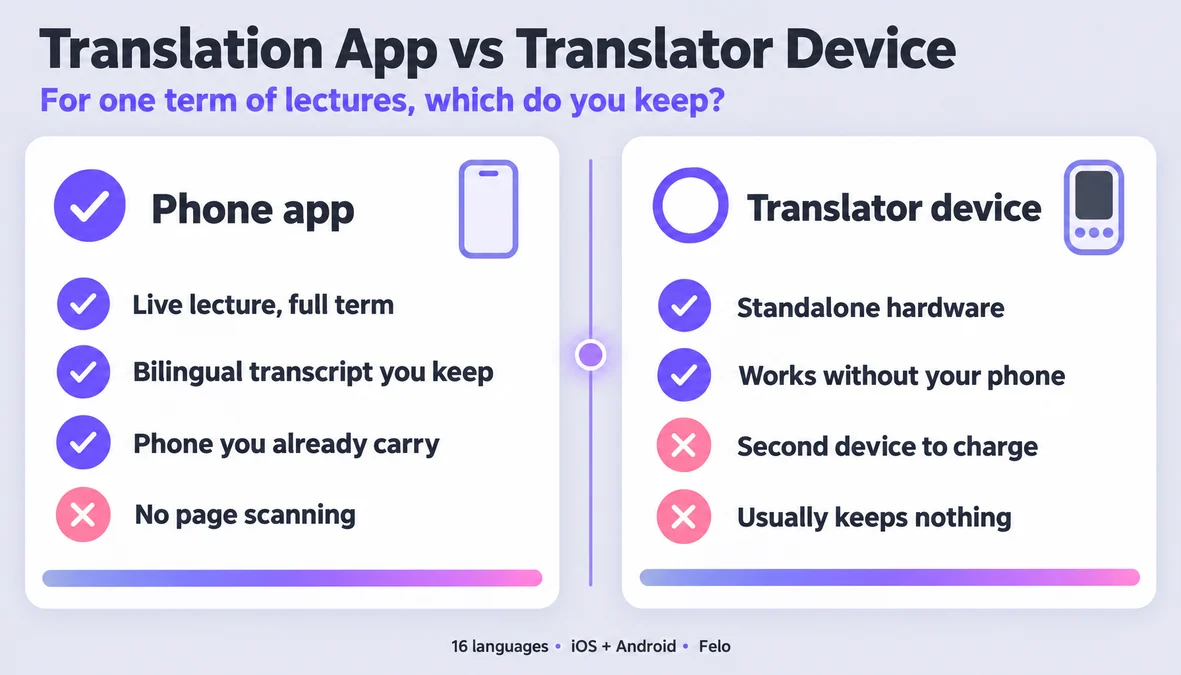
- It doesn't work offline. Live translation and transcription need a network. Local Save keeps sessions on your device; that is storage, not offline translation.
- It only covers the official 16 languages. Check the list in the prep section above before you plan anything around it — if your language is not there, this workflow does not serve you yet.
- Names, formulas, and idioms come back approximately. A translation carries meaning, not a calculus proof. Verify formulas, proper nouns, and specialised terms against the slides, not the transcript.
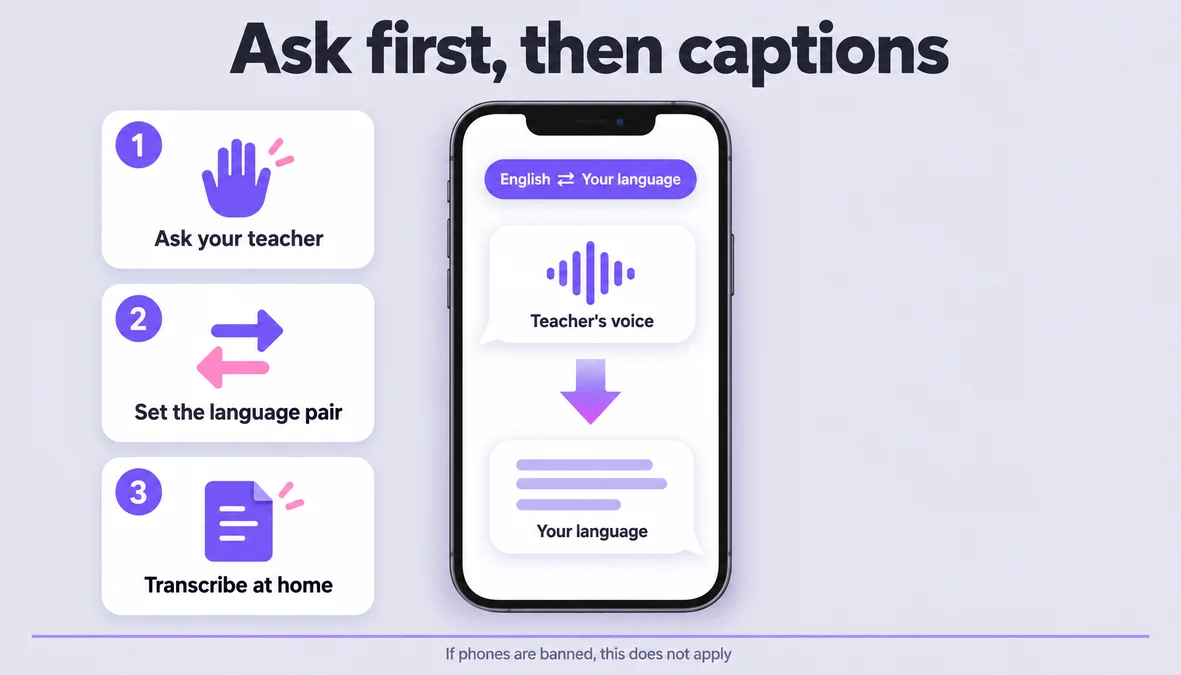
- Recording a lecture is a permission question, not a settings question. Ask the lecturer and follow your school's policy before you bring a recorder into the room, and do not rely on a wide microphone in a 300-seat hall — the app is built for close, live speech.
- It keeps you in the lecture; it does not do the course for you. Translation helps you stay on the thread. It does not replace the reading, and it does not decide what is allowed in your classroom.
What Felo brings to a lecture
Felo Translator is the real-time voice translation app this workflow runs on. The official pages describe four pieces that matter for a lecture: live voice translation in 16 languages, Translation Reading that reads the translation back in a natural voice, a bilingual transcript of the session, and Local Save, which keeps sessions and history on your device instead of in the cloud. The transcriber is the part that makes the after-class half possible — it turns an audio file into editable text, so a recorded lecture and a live session end up in the same bilingual format. It runs on iOS and Android (plus an APK for Android phones without Google Play), needs no account to start, and a one-day trial lets you test it on a real class before you commit. The pricing tiers, including the 120-minute pack for lighter schedules, are listed on the official pricing page.
FAQ
Can I use it for free as a student?
There is a one-day trial, listed at $0.99, that you can take into a lecture first. After that, Pro is listed at $239.99 per year or $39.9 per month, with a 120-minute pack at $3.9 for occasional use. Test it in one lecture first and pay only if it changes how you take notes.
Does it work offline?
No. Live translation and transcription need a network connection. Local Save means the session is stored on your device — it does not mean the app works without a connection.
Can I record my professor?
That depends on your lecturer and your school, not on the app. Ask for permission and follow the institution's policy before recording anything, and keep in mind that the app is designed for close, live speech rather than a wide room.
Which languages does it support?
Sixteen: Korean, Japanese, German, English, Simplified Chinese, Taiwanese Mandarin, Cantonese, Czech, Thai, Spanish, French, Italian, Russian, Indonesian, Vietnamese, and Nepali. Everything on the official product page is checked against that list — if your language is not there, this workflow will not work for you yet.
By the Felo Editorial Team. The Felo Editorial Team writes about language, voice translation, and the details of talking across borders. Felo Translator is a real-time voice translation app in 16 languages, at felo.me/translator.